" height="22.21672870003851px" id="z3WvM4hhx" transform="translate(0 7.783)" width="44.5160044463523px"/><path d="M 0 0 L 2.973 0 L 2.973 29.237 L 0 29.237 Z" fill="rgb(51, 51, 65)" height="29.23683002950565px" id="JHCCz3Moo" transform="translate(52.332 0)" width="2.9732091795568465px"/><path d="M 0 0 L 18.335 0 L 18.335 2.973 L 0 2.973 Z" fill="rgb(88, 93, 247)" height="2.9732091795568505px" id="TtL1Ujsfx" transform="translate(26.217 3.072)" width="18.334926489198978px"/><path d="M 0 1.817 C 0 0.813 0.813 0 1.817 0 C 2.82 0 3.634 0.813 3.634 1.817 C 3.634 2.82 2.82 3.634 1.817 3.634 C 0.813 3.634 0 2.82 0 1.817 Z" fill="rgb(88, 93, 247)" height="3.633967846768943px" id="E_sZ1ZJZP" transform="translate(57.862 26.217)" width="3.6339678467688827px"/></g></svg>)
Manual Inventory: What It Is, How It Works, and When It Fails?
Manual inventory system is a low-cost method for tracking stock levels, orders, and sales using spreadsheets, paper logs, or tally sheets without automated software.

Nūl Content Team
An Experienced Research & Knowledge Team
The Nūl Content Team combines expertise in technology, fashion, and supply chain management to deliver clear, practical insights. Guided by Nūl’s mission to end overproduction, we create content that helps brands forecast demand more accurately, optimize inventory, and build sustainable operations. Every piece we publish is grounded in real-world experience, ensuring it’s both credible and actionable.

Table of contents
Despite all the noise around automation, AI, and robotics, manual inventory management is still very much alive. In reality, a large percentage of small and mid-sized businesses still rely on spreadsheets, handwritten logs, or physical stock counts to manage inventory. Not because they want to, but because manual systems feel simpler, cheaper, and familiar.
We’ve seen:
Businesses managing 5,000+ SKUs on a single spreadsheet and somehow surviving.
Others spending $50,000 on software only to abandon it because workflows weren’t ready.
Manual inventory isn’t inherently bad. In some cases, it’s practical. In others, it quietly becomes the reason for lost revenue, stockouts, and constant firefighting. To know if it's bad or still good for your business, dive into this blog. We will break down manual inventory management, how it works day-to-day, where it breaks down, and when you should switch to automation.
What Is Manual Inventory System?
Manual inventory system is a traditional and low-cost method where a business tracks its stock levels, orders, and sales by hand or using simple spreadsheets, paper logs, or tally sheets rather than automated software. This method relies heavily on human effort and traditional record-keeping to oversee the lifecycle of a product from procurement to final sale.
Manual inventory systems are often suitable for:
Small retailers;
Boutique warehouses;
Early-stage brands;
Businesses with low SKU counts;
Operations with stable, predictable inventory.
Common Manual Inventory Management Methods
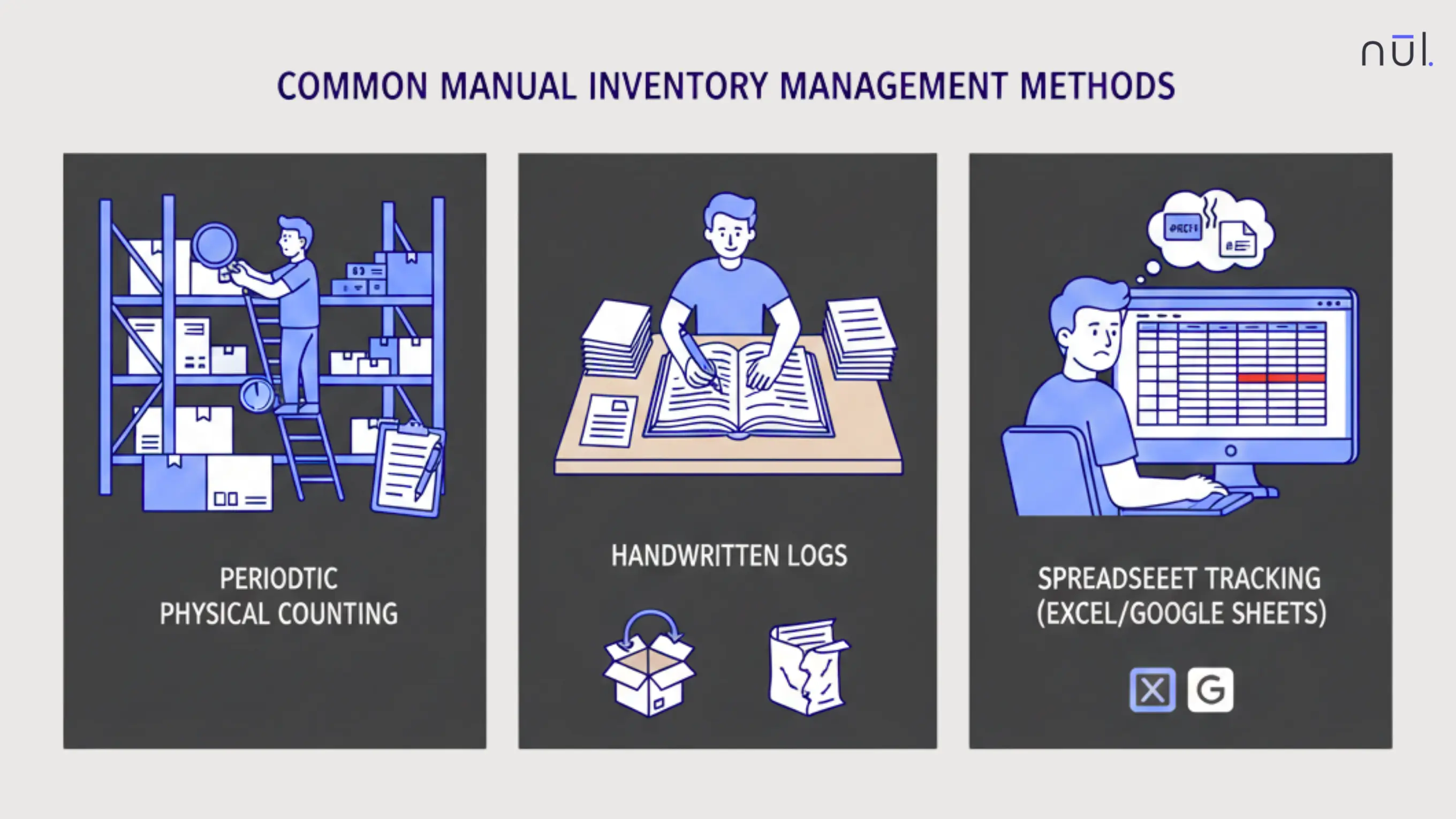
Periodic Physical Counting
In this method, staff physically count items on shelves or in storage and record totals at specific intervals (weekly, monthly, or annually). It is often used for end-of-year tax audits or financial reporting.
Operations are usually paused while staff manually count every Stock Keeping Unit (SKU) in every storage location. This method provides a "snapshot" of inventory but does not account for real-time shrinkage (theft or damage) occurring between counts.
Risks: Inconsistency. Long hours spent counting lead to human error, and without standardized counting directions (e.g., top-to-bottom, left-to-right), items are easily skipped or double-counted.
>> Read more: Perpetual vs Periodic Inventory System: What's the Difference?
Handwritten Logs
Every inventory movements are written down in a physical logbook or on a bin card as items are received or sold. Like, when a shipment arrives or an order is fulfilled, the staff member immediately writes down the SKU, the quantity, and the date of the transaction.
This creates a chronological paper trail of inventory history, which is helpful for small-scale operations with low turnover.
Risks: Unreadable handwriting, physical books are easy to be damaged, lost, or out of sync if multiple people are moving stock at once without immediate access to the log.
Spreadsheet Tracking (Excel / Google Sheets)
Stock levels are updated manually in spreadsheets with basic formulas and organized data entry without the cost of dedicated software. It is often called a digital manual system because it uses digital tools, but still depends fully on human input.
Staff enter stock changes into Excel or Google Sheets based on daily sales reports, receipts, or packing slips. Every sale, return, or new shipment must be updated by hand to keep the numbers accurate.
Spreadsheets can include basic formulas to calculate totals or remaining stock. They can also use conditional formatting to highlight low stock levels, such as turning a row red when an item drops below a reorder point.
Risks: Formula errors when typing a single wrong accidental character in a formula, version conflicts, and accidental overwrites when having multiple editors.
Common Manual Inventory Management Methods
Manual Inventory Management Workflow
A typical manual workflow looks like this:
Merchandise is received: When new products arrive, staff first verify the shipment against the purchase order or delivery note. They check item names, quantities, and visible damage.
Items are physically counted: Each product is counted by hand. In some cases, staff may count twice to confirm accuracy. If products have variations such as size or color, each variation must be counted separately. Any mismatch between the order and the physical count is noted for review.
Quantities are recorded: After counting, the numbers are written into paper logs, stock cards, or spreadsheets. This step requires careful data entry. A simple typing error, wrong unit, or misplaced decimal can change the stock balance significantly.
Stock levels are updated manually: The recorded quantities are then added to existing stock totals. For sales, staff subtract the sold quantity from the current balance. Every movement like sales, returns, damaged goods, or transfers must be updated manually to keep records aligned with physical stock.
Discrepancies are adjusted after recounts: If the recorded stock does not match the physical count, a recount is done. Differences may come from miscounts, missing items, theft, or recording delays. Once verified, adjustments are made in the log or spreadsheet to correct the balance.
Manual reconciliation is done periodically: Businesses often perform weekly or monthly stock checks to compare recorded numbers with actual inventory. This process can take hours or even days depending on the number of products. Reconciliation helps identify errors but is time-consuming.
Reports are created for purchasing or operations: Based on the final stock numbers, staff prepare simple reports to decide what needs to be reordered. These reports may be summary tables in spreadsheets or handwritten notes. Since there is no automatic alert system, purchasing decisions depend entirely on the accuracy of recorded data.
Advantages of Manual Inventory Management
Low Upfront Cost: Manual systems require no investment in expensive specialized inventory software, servers, or subscription plans. You do not also need dedicated Hardware like barcode scanners, mobile terminals, or RFID readers. Initial setup costs are typically limited to basic stationary, such as paper ledgers, or the use of free digital tools like Google Sheets or Excel.
No Technical Setup: There is no system installation, integration, or configuration. Anyone with basic training can begin using manual tracking methods immediately. Unlike automated systems, there is no need for IT support, system maintenance, or software updates.
Hands-On Control: Operators stay closely involved in counting and recording stock. This direct contact can help them understand product movement patterns and identify issues quickly during physical checks. For small teams, this level of visibility can create a stronger sense of ownership and accountability.
Disadvantages of Manual Inventory Management
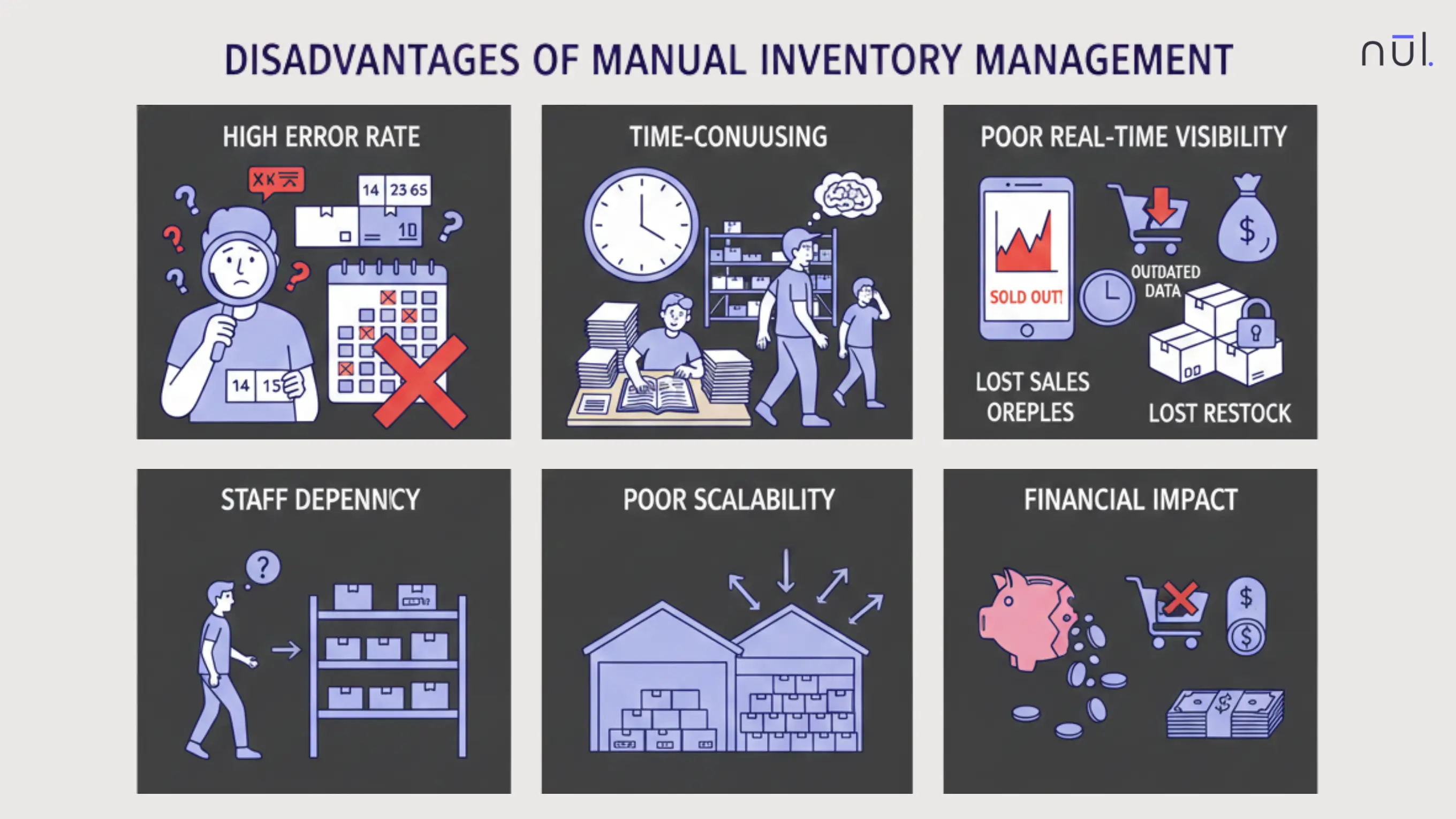
High Error Rate
Manual systems are highly vulnerable to:
Miscounts
Wrong entries
Incorrect units
Misplaced inventory
Even a 1–2% error rate can cause major issues at scale.
Time-Consuming
Manual inventory requires significant time and effort.
Physical counts can take hours, especially during monthly or quarterly audits
Every sale, return, or shipment must be recorded by hand
Recounts are often needed to verify discrepancies
Instead of focusing on improving sales or customer service, staff spend valuable time updating spreadsheets and checking stock levels. As product volume increases, the workload grows quickly.
Staff Dependency
Inventory accuracy depends heavily on:
Individual discipline
Consistent processes
Staff availability
When key employees leave, the experience and institutional knowledge of where items are stored often leaves with them.
Poor Real-Time Visibility
Manual updates are delayed by nature, so it fails to meet the criteria for modern e-commerce.
This leads to:
Surprise stockouts: Because data isn't live, you may discover an item is sold out only when a customer tries to buy it.
Overstocking: To avoid stockouts, managers often over-purchase
Reactive decision-making: By the time a manual report is finished, the data is already outdated, leading to decisions based on the past rather than the present.
By the time data is updated, it’s already outdated.
>> Read more: 19 Common Inventory Management Challenges & Their Solutions
Poor Scalability
Manual inventory does not scale well with:
More SKUs: What worked at 200 SKUs breaks at 2,000.
Faster sales velocity: Require instant updates that manual entry simply cannot provide.
Multiple locations: Managing stock across different warehouses manually makes central visibility nearly impossible.
>> Explore further: A Complete Guide to Omnichannel Inventory Optimization
Financial Impact
Here are the financial impact of manual inventory record errors:
Stockouts: False data or slow reordering leads to missing items, which results in missed sales opportunities
Overstock: Poor visibility causes managers to over-purchase safety stock, tying up vital capital in deadstock.
Lost revenue: Inaccurate levels in e-commerce can lead to overselling, which triggers expensive refunds, processing fees, and potential marketplace penalties.
Shrinkage and undetected discrepancies: Internal theft, administrative errors, and vendor overcharges often go unnoticed until a disruptive physical count is performed months later.
Disadvantages of Manual Inventory Management
When Might Manual Inventory Allocation Be Ideal?
Manual inventory can be a practical choice in certain situations where operations are simple and easy to manage. Here are some typical cases:
Inventory volume is low: If you carry only a few dozen products in a single location, conducting a physical count only takes a few minutes. Making software overhead in this situation is unnecessary.
SKUs are stable and predictable: When the product catalog does not change frequently, demand is predictable and reorder is simple without the need for advanced automated forecasting.
Movement is slow: Low sales velocity means that the risk of data becoming outdated is minimal. So, staff have enough time to manually log every movement without falling behind.
Budget is limited: Manual inventory systems can be set up on a sheet of paper or a free spreadsheet without technology investment. This is suitable for micro-businesses that need to allocate capital toward growth rather than software subscriptions.
Operations are simple and local: If all stock is nearby and stored in one place, a central database is less critical. Communication is easier in small teams, reducing the risk of staff dependency disadvantage.
When Should You Switch to an Automated Inventory System?
Manual inventory update is practically impossible when:
SKU count crosses a manageable threshold: The complexity of tracking individual attributes exceeds human memory and paper capacity.
Inventory moves daily: If sales happen faster than logs can be updated, you lose the real-time visibility to satisfy modern customer demand.
Multiple warehouses or stores are involved: Maintaining a central record is nearly impossible when stock is spread across different physical locations.
Shrinkage increases: External theft, administrative errors, and vendor overcharges go undetected for long periods. You need to identify and stop financial leaks immediately.
Stockouts become frequent: If you are constantly surprised by out-of-stock items and miss sales opportunities, your manual reordering process has failed.
Audits take weeks instead of days: When physical counts become so labor-intensive that they disrupt operations, the labor cost of manual management has outweighed the software cost. If a team spends all their time fixing errors rather than improving operations, the system is no longer efficient.
At this stage, manual processes stop being simple and start becoming business risks.
Manual vs Automated Inventory System: Key Differences
Area | Manual Inventory | Automated Inventory |
Accuracy | Low–Medium: Vulnerable to human errors. | High: Uses barcodes and QR codes to ensure precise data entry. |
Cost | Low upfront: Requires only basic tools like paper or spreadsheets. | Higher upfront: Requires investment in software, hardware, and training. |
Scalability | Poor: Complexity increases exponentially with SKU growth and sales velocity. | Strong: Built to handle thousands of SKUs and high-speed operations across locations. |
Time Required | High: Labor-intensive physical counts and manual record updates slow down work. | Low: Processes are streamlined; updates happen instantly upon scanning. |
Reporting | Manual: Reports must be compiled by hand and are often outdated by completion. | Real-Time: Instant dashboards provide up-to-the-minute data for faster decision-making. |
Multi-Location | Very difficult: Achieving central visibility across different warehouses is nearly impossible. | Built-in: Syncs data from multiple stores or warehouses into a single source of truth. |
Error Detection | Reactive: Discrepancies are usually only found during disruptive periodic audits. | Proactive: Systems can flag anomalies instantly and prevent errors at the point of entry. |
Traceability | Limited: Tracking an item’s lifecycle (lot numbers, expiration) is difficult and error-prone. | Detailed: Provides a full digital audit trail for every item from receiving to sale. |
Audit Support | Slow: Requires stopping operations for days or weeks to perform counts. | Fast: Digital records allow for quick reconciliation and non-disruptive cycle counting. |
How Robotics Reduce Manual Inventory Errors?
Automated Counting: Robots use cameras, sensors, or barcode scanners to count items accurately without fatigue or distraction. Unlike manual counts, they do not lose focus or misread quantities, which helps reduce miscounts.
Direct Data Capture (No Manual Entry): Robots send scanned data directly into inventory systems, removing typing mistakes, skipped entries, or wrong units.
Real-Time Updates: Robotic systems update stock records instantly after scanning items. This prevents delays between physical stock movement and system records, which is a common cause of inaccurate inventory in manual processes.
Consistent Scanning and Verification: Robots follow the same scanning pattern every time. They do not skip shelves or forget locations. All items are ensured to be checked, reducing missing inventory and unnoticed discrepancies.
Faster and More Frequent Audits: Because robots can scan inventory quickly, businesses can run daily or weekly checks instead of monthly ones. Frequent verification catches errors early before they grow into larger problems.
Improved Traceability: Each scan is logged with time, location, and item data. This creates a clear record trail, making it easier to investigate discrepancies or track where errors occurred.
How to Move From Manual Inventory to an Automated System?
Identify where manual errors hurt most: Analyze your financial impact to see if stockouts, overstocking, or shrinkage are your primary profit leaks.
Map existing workflows: Document your current manual lifecycle from "Receiving" to "Reporting" to identify bottlenecks where automation can provide the most value.
Clean and standardize inventory data: Before moving data to a new system, ensure all SKUs, descriptions, and units are accurate and follow a consistent format to avoid low quality data issues.
Choose basic automation tools: Start with intuitive, simple software that includes built-in features like barcode scanning and low-stock alerts to minimize technical setup hurdles.
Run a pilot in one location: Test the new system in a single department or some locations to verify and resolve any bugs without disrupting the entire operation.
Train staff gradually: Ensure every team member can understand and meet the transition.
Compare KPIs before and after: Use reports to measure improvements in accuracy and labor time, then adjust the plan based on the outcome.
Conclusion
Manual inventory management isn’t outdated, it’s context-dependent. For small, stable operations, it can work. For growing businesses, it eventually becomes a bottleneck. The real question isn’t manual vs automated, it’s when manual stops serving your business.
Recognising that moment early and transitioning thoughtfully can save significant time, money, and stress. Inventory accuracy isn’t just an operations problem, it’s a growth problem.
Looking for more? Dive into our other articles, updates, and strategies




Let's show you how